High or low pool filter pressure becomes useful when you compare it with your own clean-filter baseline at the same pump speed and valve configuration. A high reading with weak return flow can point toward a dirty filter or a return restriction. A low reading with weak flow can point toward a water-supply, basket, suction-air or pump problem. A faulty gauge can confuse either situation.
Those are diagnostic directions, not a verdict from a single number. Start by identifying what changed, checking the gauge and following the manuals for your pump and filter. There is no universal “normal PSI” that applies to every pool.
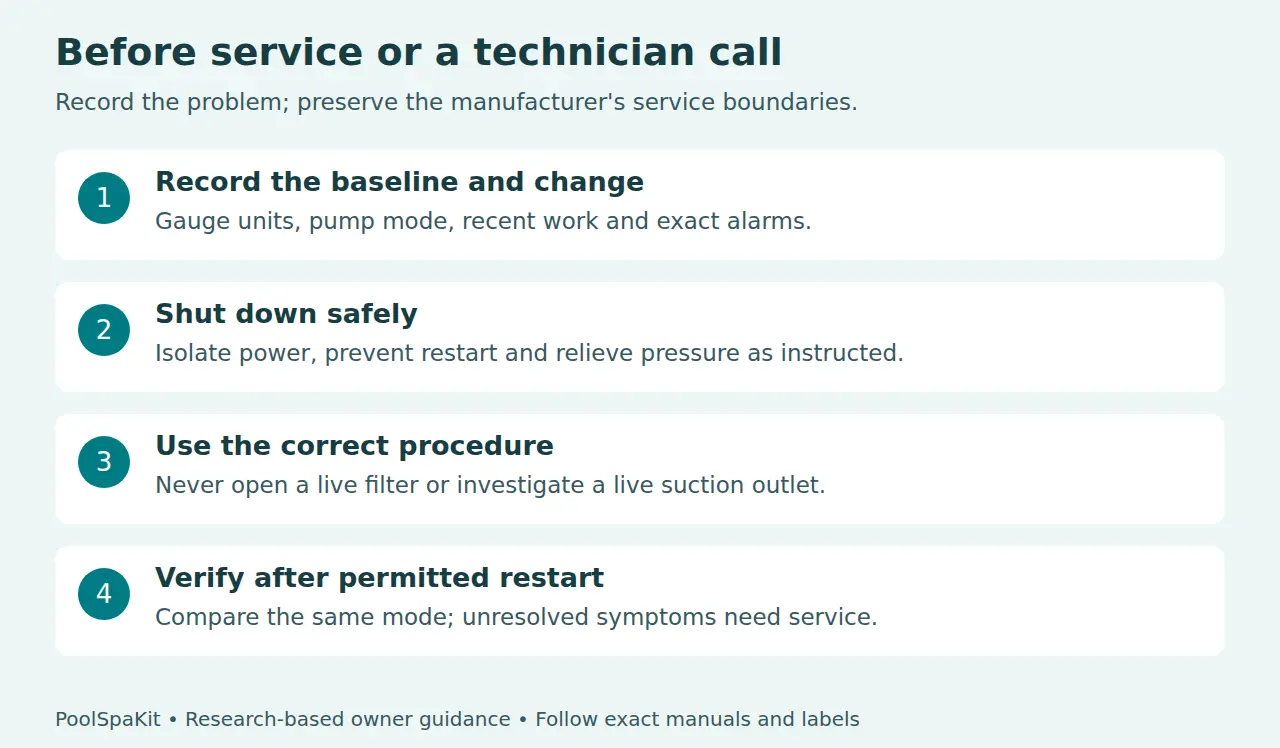
Pressure safety: Stop if equipment is damaged, leaking or operating abnormally. Never loosen a filter lid, clamp, gauge or fitting under pressure. Shut down, isolate power, prevent automatic restart and relieve pressure through the exact manufacturer procedure before service. Stand clear during restart. Leave unfamiliar repairs to a qualified technician.
What the pressure gauge can tell you
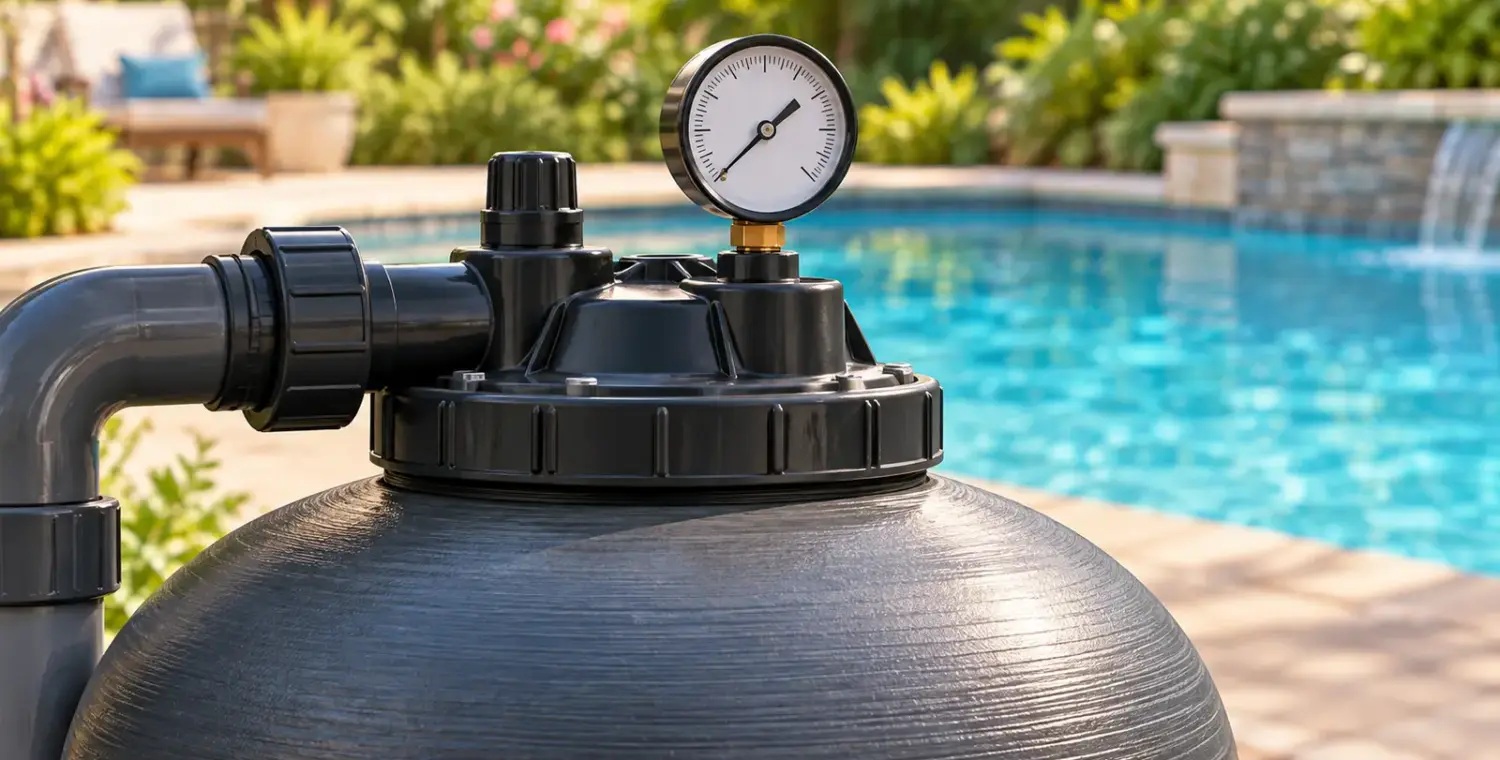
The gauge indicates pressure at its connection to the filter system. It does not directly report gallons per minute, the amount of dirt in the water or whether sanitizer is adequate. Read it alongside pump mode, return flow observations and any equipment alarms.
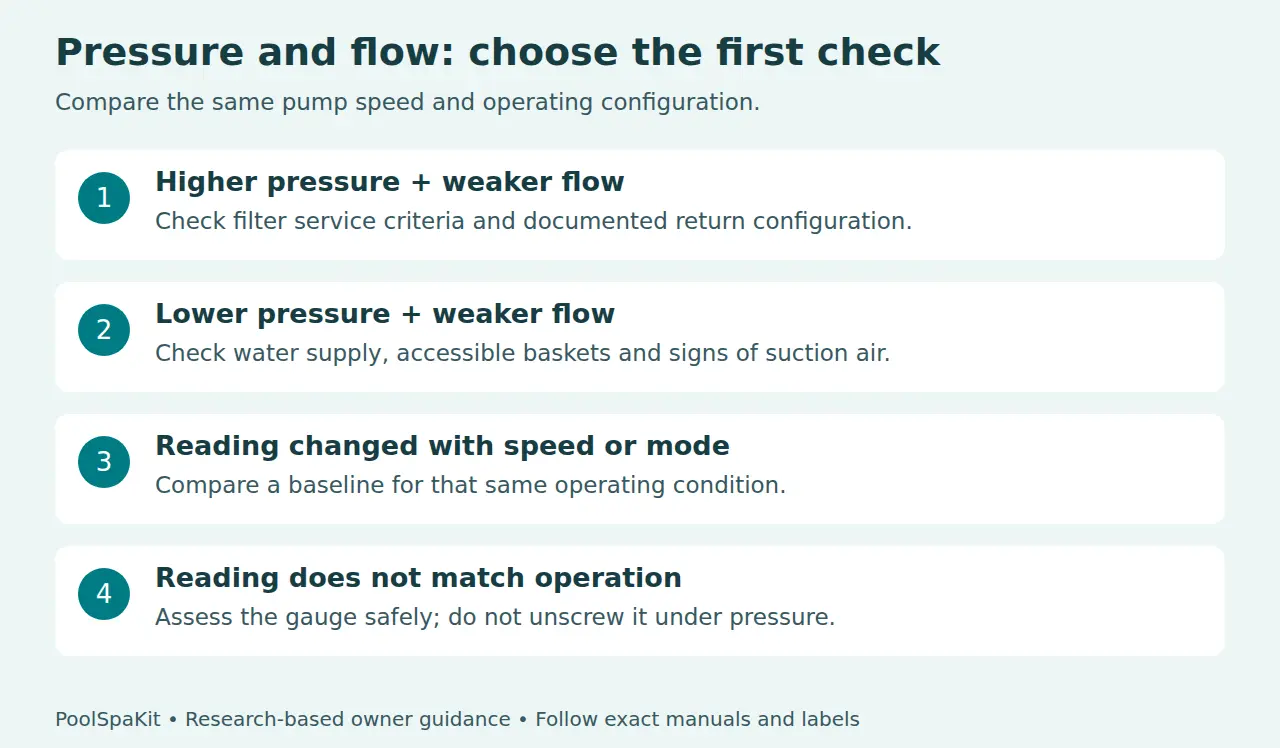
Pentair’s OptiFlo troubleshooting table separates low flow with high filter pressure from low flow with low pressure. That distinction is more useful than deciding that every weak return jet needs a backwash. Several faults can create similar symptoms, so use the table below to decide what to investigate first.
| Observed pattern | Possible explanation | First direction |
|---|---|---|
| Higher pressure, weaker flow | Dirty filter or restriction in the return path | Check operating configuration and the filter’s service criteria |
| Lower pressure, weaker flow | Restricted water supply, basket blockage, suction air or pump fault | Check water level and accessible owner-service items safely |
| Changed reading after speed or mode change | A different operating condition | Compare with a baseline for that same condition |
| Reading inconsistent with operation | Gauge or gauge connection needs assessment | Follow the manual’s gauge checks; do not remove it live |
These are possibilities drawn from manufacturer troubleshooting, not an inspection of your installation. Our pump sizing and flow-rate guide explains why equipment flow requirements need more information than one pressure reading.
Establish the clean baseline before choosing a fix
Find the pressure recorded after the filter was correctly serviced and the system was operating normally. Record the pump speed or operating mode beside it. On a variable-speed system, keep a baseline for each useful documented operating condition rather than expecting one number to describe every speed.
Also record valve configuration, whether an attached cleaner was running and whether the system was in pool or spa mode. When a reading changes, these details help you distinguish an intended operating change from a fault. Do not move valves experimentally to recreate an old number.
For example, an entry reading “filter pressure normal” leaves little to compare later. An entry that identifies the clean filter, date, pump mode and normal returns makes a later observation meaningful. You can then ask whether the current pressure was measured in the same conditions before deciding what to service.
If you have no baseline, do not adopt a neighbor’s pressure or a number found online. Ask the technician to document one after confirming that the system and gauge are functioning correctly. A baseline obtained during an unresolved restriction is not a useful definition of normal.
Check the gauge before trusting an unusual result
Pentair’s Posi-Clear RP guide says its gauge should return to zero when the system is off and pressure has been relieved. It should indicate pressure during operation and be readable and undamaged. A stopped pump alone is not proof that all pressure has dissipated.
Look for a cracked face, unreadable scale or a needle that appears stuck through different operating conditions. Write down the behavior rather than tapping, unscrewing or adjusting the gauge while the system is running. If its operation is doubtful, have the gauge and connection assessed using the manual’s service procedure.
Keep units consistent in your log. A psi scale and a bar scale are not interchangeable numbers; copy the unit printed on the gauge. This guide does not need a conversion to diagnose a change, because the before and after readings should use the same instrument and units.
If pressure is too high
First establish whether it is higher under the same conditions. A reading taken at a different pump speed or in a different hydraulic mode is not a controlled comparison. Review recent changes such as a cleaning operation, valve adjustment, attached cleaner or equipment replacement.
If pressure has risen and flow has weakened, the OptiFlo guide lists a dirty filter and a return-line restriction as possible causes. Check the documented valve configuration and the exact filter manual’s service trigger. Do not keep increasing pump speed to force water through an unresolved problem.
As one model-specific example, the Posi-Clear RP manual calls for cleaning at an increase of 8–10 psi over its original starting pressure, or when flow significantly reduces. That is a rise above a measured baseline, not an instruction to clean every pool at an absolute reading of 8–10 psi. Use your own filter’s instructions.
A maximum working-pressure rating is a safety limit, not a desired operating pressure or cleaning threshold. Do not wait for the gauge to approach that limit before investigating abnormal operation. If pressure rises suddenly, the return route is uncertain or equipment is damaged, shut down safely and seek service.
If pressure is too low
A lower reading can be expected at a lower documented operating speed; it becomes a fault question when the same-mode reading falls and circulation deteriorates. Separate that situation from a pump that is simply in a scheduled low-speed period.
For low flow with low pressure, OptiFlo lists clogged baskets, a clogged impeller, air entering the suction side and a suction restriction. Start with safe owner-level checks: the correct pool water level, visible basket debris and the documented operating configuration. Isolate and relieve pressure before opening the pump basket as instructed.
SuperFlo’s manual warns that low water can let the pump draw air, lose prime and run dry, damaging the seal. If the pump fails to establish its required water supply, stop it and follow the priming troubleshooting instructions. Repeatedly letting it run while hoping it will recover is not a solution.
Note persistent bubbles, loss of prime, leaks and alarms for the service provider. Do not reach into a live suction opening, remove a drain cover or enter the pool to investigate suction. CPSC’s Pool Safely guidance warns against swimming near suction outlets and entering water with a loose, broken or missing drain cover.
Internal impeller work, buried suction-line faults and electrical problems should be assessed by someone qualified for that work. Provide the symptoms and model numbers; do not dismantle the pump because a diagnostic list includes an impeller.
Clean and restart using the exact filter procedure
Identify the filter model before servicing it. Do not assume the cleaning process for a sand filter applies to a cartridge or DE filter. Find the instructions for shutdown, pressure relief, cleaning, replacement media where applicable, reassembly and startup.
Use the approved tools and cleaning products. If the procedure is unclear, obtain it from the manufacturer rather than filling in missing steps from a general article. Never run equipment with required components missing or improvise a valve sequence.
After correct service and normal restart, compare the pressure with the baseline at the same speed and configuration. Record whether flow and other symptoms improved. If pressure remains abnormal, cleaning was not a complete diagnosis; request further assessment rather than repeatedly cleaning or replacing unrelated parts.
What to record before calling a technician
- Pool, pump and filter model numbers, plus the date of the last service.
- Clean baseline and current reading, with the gauge units.
- Pump mode or speed and the known valve configuration.
- Whether the change was sudden or gradual, and what happened immediately before it.
- Return flow observations, bubbles, loss of prime, leaks and exact alarm messages.
- Owner-level checks completed and the result after a permitted restart.
That record gives the technician a concrete starting point. It also makes the next visit more useful: ask them to document the corrected operating condition and explain the approved service trigger for your filter.
Does normal pressure mean the pool is safe to swim in?
No. CDC’s water-treatment guidance requires routine sanitizer and pH testing; a pressure gauge does neither. Continue the appropriate water-care program, and keep swimmers out when equipment or water condition is uncertain.
If cloudy water accompanies the pressure issue, the cloudy-water diagnostic guide covers the separate testing and clarity questions. Fixing a hydraulic symptom does not establish that a chemical or contamination problem has also been resolved.
Research checked September 30, 2026. We only claim hands-on testing when we’ve actually tested the product ourselves.